


ACECRAFT: Sky Hero
4.67.66K Reviews
App Specs
- Version
- 13.1.33.3651
- Updated On
- License
- Free
- Downloads
- 500,000+
- Developer
- Skystone Games Pte. Ltd.
- Categories
- Action
- Platform
- Android
Screenshots

 Analysis by AppCompare
I usually judge a mobile action game by what happens after the first exciting session. Does it still feel good when I return later, can another person join without turning setup into a chore, and does the game fit naturally into a shared household? ACECRAFT: Sky Hero caught my attention because it is built around cooperative shooting rather than treating another player as an afterthought. In my experience, that makes it more interesting than a standard solo arcade game, especially when two people want a quick activity together on a phone or tablet.
This is a free action game from Skystone Games Pte. Ltd., with a bright shoot-'em-up identity and a clear focus on teamwork. It has reached over 500 thousand installs and holds a 4.6 average from around 37 thousand ratings, which suggests that its central idea connects with a substantial mobile audience. I would not treat those figures as a guarantee that every player will enjoy it, but they do make the game worth a closer look for anyone searching for cooperative action rather than another solitary time-filler.
How ACECRAFT fits a shared device and a shared home
I find ACECRAFT most useful when a household treats it as a planned shared activity rather than a game that anyone can pick up at any moment. Before playing, I’d agree on which device and account are in use, who can make purchase decisions, and whether the room is a good place for fast-paced sound. That small routine helps keep the focus on playing together—and makes it easier to decide whether the next session suits everyone.
A practical game for short two-person sessions
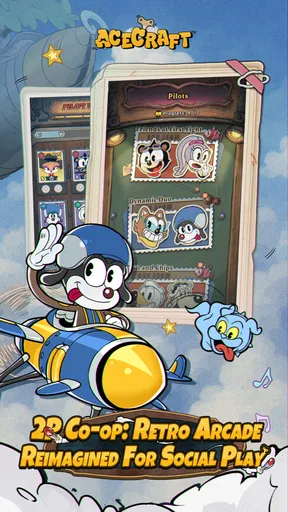
The strongest use case is simple: two people are in the same room, each has access to a compatible device, and they want something more active than taking turns in a puzzle game. A parent and child might play after dinner, siblings could fit in a round before leaving for school, or two friends might use it as a quick break during a visit. The appeal is not just that both players are present; it is that the action gives them something to discuss while they play.
That shared moment changes the way I read mistakes. In a solo shooter, losing can feel like a private failure. In a cooperative session, a missed movement or a poor decision becomes a reason to communicate. One player can warn the other, suggest a safer approach, or simply laugh when both react too late. This makes the game a better candidate for casual household play than an action title designed entirely around individual scores.
There is also a useful distinction between playing together and merely sharing one device. The store positioning presents ACECRAFT as a two-player cooperative shoot-'em-up, so I would approach it as a game where each participant needs a meaningful way to take part, rather than expecting a traditional pass-the-phone experience. Before planning a family session, I would make sure both people understand how the cooperative play is accessed and that each player has the necessary device arrangement. That small check prevents the common disappointment of discovering that “multiplayer” does not mean two people can use one screen at once.
Why the cooperative format changes the mood
Traditional mobile shoot-'em-ups often ask one person to memorize enemy patterns, manage movement, and chase a better run. That can be satisfying, but it can also become repetitive when the player is not in the mood for a solitary challenge. Here, the cooperative premise gives the same action a social layer. You are not only asking whether you can survive; you are asking whether both players can stay coordinated while the screen becomes busy.
Worth Reading Before You Choose

Flipboard Shows What News Apps Must Do Beyond the Feed

Switching to Android Auto Means Rethinking Your Driving Routine

Google Calendar Makes a Crowded Week Easier to Manage

Ludo King Makes the Most of the Minutes Between Plans

Baby Panda World Brings Quick Play to Modern Phones, but Its Game Library Feels Busy

ESPN’s Live Game View Makes Following Close Games Easier
I find that especially useful in a household where people have different skill levels. A more experienced player can help a newcomer understand the pace without turning the session into a lecture. The less experienced player still has an active role, and the conversation naturally reveals what needs attention. That is more welcoming than placing a new player directly into a competitive match against strangers.
At the same time, cooperation is not automatically relaxing. Some people prefer to play at their own speed, pause frequently, or repeat a section without worrying about another person. Those players may find the shared responsibility tiring. If your ideal mobile game is a quiet solo experience for headphones on a commute, the two-person focus may feel like a distraction rather than an advantage.
The household setup deserves a little planning
Because this is a free game, the initial decision is easy: there is no purchase required to try it. The more important question is how you want to handle the practical side of a shared device. If a child uses a parent’s phone, I would agree on when the game can be played, whether sound is appropriate, and who is responsible for ending the session. Those rules are not game features, but they make a noticeable difference when an action title becomes part of family downtime.
In-app purchases range from $0.99 to $99.99 per item. That wide span is the main reason I would not hand the game over without a conversation about spending. The free entry point is convenient, but a child may see optional items as part of normal progress or as a way to improve a difficult moment. I recommend deciding in advance whether purchases are allowed at all, and keeping any payment approval with the adult who owns the account. This is more dependable than assuming a young player will always recognize the difference between playing and buying.
I would also avoid treating a shared device as a shared identity. If more than one person plays on the same phone or tablet, agree on whose progress is being used and whose account is active before starting. Even when a game feels casual, mixing profiles or handing the device between players can create confusion about progress, purchases, and personal preferences. The safest routine is to use one clearly identified player at a time and check the active account before spending anything.
Coordination is the real test, not just reflexes
The interesting part of cooperative shooting is the division of attention. Both players are watching the action, but they do not necessarily notice the same danger. One may be better at spotting incoming threats while the other reacts faster to sudden changes. A useful habit is to keep communication short: call out danger, say when you need space, and avoid talking over the most intense moments. Long explanations are less useful once the action is moving quickly.
For a household session, I would begin with a simple agreement about roles. One player can focus on watching the wider screen while the other concentrates on immediate movement, then switch naturally if that arrangement feels awkward. I am not presenting this as a permanent system built into the game; it is a player-made method for reducing confusion. The benefit is that beginners have a clear way to contribute without needing to understand every detail immediately.
Another useful approach is to treat early attempts as practice for communication rather than tests of performance. If one player is much more experienced, avoiding constant correction keeps the session friendly. Instead of saying that someone moved incorrectly, describe what you see: “danger on the left” or “let’s stay together.” That small change matters in family play, because the goal may be shared time rather than perfect completion.
There is a trade-off here. Cooperation can soften the frustration of a difficult run, but it can also magnify it when both players blame each other. I would skip competitive commentary during a first session and decide beforehand that either person can request a break. A short pause can prevent an enjoyable game from becoming an argument, particularly when a younger player is still learning how the action flows.
Age rating and trust in a family setting
The content rating is Everyone, which makes ACECRAFT easier to consider for a broad household audience than an action game aimed at older players. Still, an age label does not answer every practical parenting question. It does not replace checking whether the pace, visual intensity, online interaction, or purchase options suit a particular child. I would watch the first session with a younger player, not because the game is automatically unsuitable, but because children respond differently to fast action and failure.
Trust also includes how the device is used outside the game. If a child borrows an adult’s phone, I would keep the session supervised until the routine is clear. The important boundaries are account ownership, spending permission, and the time of day when play is acceptable. These are household decisions rather than advertised game mechanics, so I would not assume that the game itself manages them for you.
The Everyone rating does make conversation easier. You can present the game as a shared activity instead of needing to explain mature themes or age-restricted content. For a family that wants a cooperative action title without stepping into a darker or more aggressive atmosphere, that is a genuine advantage. However, a child who dislikes rapid movement or repeated failure may still prefer a slower game, regardless of the rating.
What makes it different from the usual alternatives
The closest alternative is a conventional solo shoot-'em-up. That type of game is often better when you want complete control over the pace and do not want to coordinate with anyone. It may also suit a player who enjoys improving personal reactions without depending on a partner. ACECRAFT has a stronger reason to be opened when another person is available, because its identity is tied to two-player cooperation rather than only to individual mastery.
Another alternative is a competitive multiplayer action game. Competition can create a sharper sense of achievement, but it may be less comfortable for a mixed-skill household, particularly when one player is young or inexperienced. Cooperative play removes the direct winner-versus-loser structure. The challenge remains, but the two players can work toward the same outcome instead of treating each other as obstacles.
On the other hand, a turn-based family game may be a better choice when devices are limited or when everyone wants time to think. ACECRAFT is not the option I would choose for a calm conversation around the table. Its value comes from shared attention and quick reactions. It works best when both players are ready to focus at the same time, not when people want to dip in and out between other tasks.
Version, access, and the cost of trying it
The current version is 13.1.33.3651, and the game requires Android 8.0 or later. That makes checking the operating system worthwhile before planning a shared session, especially if one household device is older than the other. A game can be free and still be inconvenient if the spare phone cannot run it, so I would test the intended devices before promising a cooperative evening.
Since the download is free, trying it does not require the same commitment as buying a premium action game. I would use that advantage sensibly: install it on the devices you expect to use, explore the opening experience, and then decide whether the pace suits both players. This is also the right time to establish purchase boundaries rather than waiting for a tempting item to appear during play.
The developer, Skystone Games Pte. Ltd., presents the game as an action experience rather than a quiet family utility, and that distinction matters. The game can support household connection, but it is still built around shooting and movement. If your household wants an educational activity, a creative sandbox, or a game that works well with one device passed around, this is probably the wrong category entirely.
Small habits that improve a shared session
I found three player habits particularly useful. First, decide who is playing before opening the game and keep the account boundary clear. Second, use short verbal warnings instead of trying to explain every mistake. Third, agree on a stopping point before the session begins. These habits sound basic, but they address the problems that most often turn shared mobile play into confusion: unclear ownership, too much talking during action, and arguments about when to stop.
I would add a fourth habit for mixed-skill pairs: let the less experienced player choose when to repeat a challenge. That gives the beginner some control and prevents the experienced player from rushing ahead. It also changes the session from a demonstration into a joint activity. If the two players have very different reactions or confidence levels, this approach is more useful than insisting that both perform identically.
Finally, keep the first session short enough that both people can finish while still enjoying it. A cooperative game is judged by the memory it leaves behind. Ending after a good attempt is often better than continuing until one player is frustrated. This is especially important with children, who may remember the argument at the end more vividly than the fun at the beginning.
Who should play and who should skip it
I recommend ACECRAFT to friends or relatives who want an accessible action game that gives two people a reason to communicate. It is a strong fit for a household with two compatible devices, a willingness to set clear purchase rules, and players who enjoy quick reactions. The Everyone rating and free entry also make it easier to introduce than many action games aimed at older audiences.
I would be more cautious for anyone looking for a deep solo campaign, a slow strategic experience, or a game with no spending decisions to supervise. The cooperative concept is its main attraction, so a person who will always play alone may not get the full value. Likewise, a household with only one suitable device should not assume that the two-player premise automatically creates a shared-screen experience.
Players who dislike repeated attempts may also want to try something gentler. Shoot-'em-up action naturally asks for concentration, and cooperation does not remove the possibility of frustration. It simply gives you someone to work with while dealing with it. That distinction is important: this is a social action game, not a relaxation app disguised as one.
My household verdict
After looking at it as a shared-device choice rather than only as an action title, I see a clear purpose. ACECRAFT works when two people want to be involved at the same time, communicate briefly, and accept that the session may be energetic rather than peaceful. Its cooperative focus gives it a warmer household role than a typical solo shooter, while the free download keeps the barrier to trying it low.
My recommendation comes with practical conditions. Keep account ownership clear, treat the broad age rating as a starting point rather than a complete parenting decision, and set purchase boundaries before anyone plays. I would also confirm that both devices meet the Android requirement and that the players actually want fast action. Those steps are not glamorous, but they determine whether the game becomes a fun shared routine or an avoidable source of friction.
For me, the best reason to choose ACECRAFT: Sky Hero is not the promise of another mobile shooter. It is the chance to turn a short session into a cooperative conversation, where a parent and child, siblings, or friends can react to the same challenge and improve together. If that sounds like the kind of household activity you want, this free action game is worth trying. If you need solo control, one-device simplicity, or a completely purchase-free environment, a different alternative will serve you better.
My final take: this is a focused two-player action experience with real value for shared play, provided the household handles devices, accounts, and spending deliberately. I would install it for planned cooperative sessions, not as an automatic choice for every player or every family.
Pros
- Simple controls make the game easy to pick up on mobile.
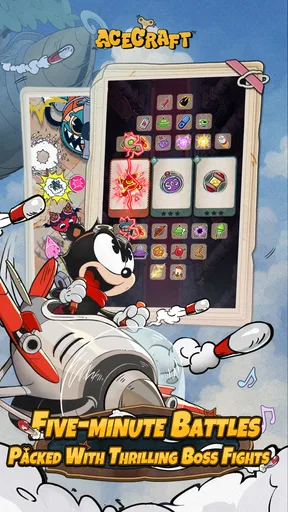
- Short missions suit quick gaming sessions.
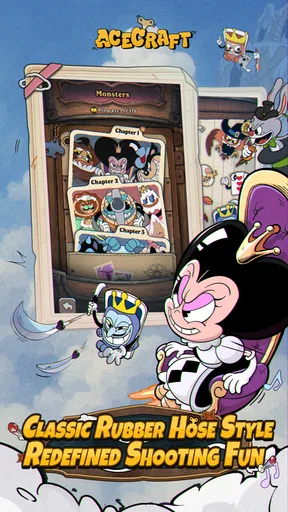
- Bright aircraft designs and colorful visuals look appealing.
- Different heroes and planes add variety to progression.
- Offline play is convenient when an internet connection is unavailable.
Cons
- Frequent upgrades may encourage repetitive grinding.
- Energy or stamina limits can interrupt longer play sessions.
- Random rewards may make obtaining preferred equipment difficult.
- Touch controls can feel imprecise during crowded battles.
- Device performance may drop during effects-heavy stages.
FAQs for ACECRAFT: Sky Hero
What is ACECRAFT: Sky Hero?
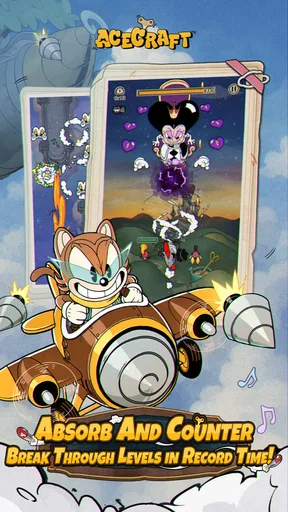
ACECRAFT: Sky Hero is a colorful mobile shoot ’em up in which you pilot a small aircraft through enemy-filled stages, defeat bosses, collect upgrades, and improve your combat power. Its presentation combines cartoon-style visuals with fast arcade action, making it approachable for casual players while still offering challenging patterns, missions, and progression for users who enjoy replaying levels and optimizing their performance.
Is ACECRAFT: Sky Hero free to download and play?
ACECRAFT: Sky Hero can generally be downloaded for free on supported Android and iOS devices, but the game may include optional in-app purchases. These purchases can provide currencies, resources, upgrades, or other progression-related benefits. You can play without spending money, although progress may require more time and repeated stages. Check the store listing for the current purchase details and age rating before installing.
Does ACECRAFT: Sky Hero require an internet connection?
An internet connection may be needed for certain features in ACECRAFT: Sky Hero, including account synchronization, advertisements, online rewards, events, updates, and in-app purchase verification. Some gameplay sections may work offline, but availability can vary by version and device. For the most reliable experience, especially when claiming rewards or saving progress, use a stable Wi-Fi or mobile data connection.
Is ACECRAFT: Sky Hero suitable for beginners?
ACECRAFT: Sky Hero is relatively easy to understand because its main controls focus on moving the aircraft, avoiding enemy attacks, and automatically or directly firing at targets, depending on the game mode. However, later stages can become considerably more demanding, with denser bullet patterns, stronger enemies, and difficult bosses. Beginners should upgrade carefully, learn attack patterns, and replay earlier missions to gather resources.
What devices are compatible with ACECRAFT: Sky Hero?
Compatibility depends on the operating system, hardware, and store requirements listed for the current version. The game is designed for Android and iOS smartphones and tablets, but older devices may experience longer loading times, reduced graphics quality, overheating, or performance drops during busy battles. Before downloading, check the official Google Play or App Store listing and make sure sufficient storage space is available.


